How to lock the Thermomix for travel
How do I lock my Thermomix for travel? Summer is finally here, and we can finally go away with the family. I can't wait to pack my Thermomix® in its carrying bag and put it in the car.
For us, the Thermomix is practically part of the family and is always packed for our holidays. Our suitcases are always filled with Clara and Camilo's things—their dog floats, toys, food—our essential summer gear, sunscreen, and a cooler so we can stop and stretch our legs and paws .
It's true that our usual summer routine is to rent a little house and spend most of our time there, so our life is more relaxed, and we always prepare things for ourselves and the family because with the dogs it's more complicated to go out to eat together. We don't mind, though. Sometimes we order food, and other times we supplement it with what we make in the machine. It gets us out of a lot of jams.
Don't be afraid to travel with it, it's a joy. My advice is to get the carrying bag and enjoy your machine wherever you want.
If you have a TM5 or TM6, you can lock the arms for safer transport. Do you know how to lock it? Come on... I'll tell you, it's super easy! And remember, after locking it, it will unlock automatically when you plug it back in and turn it on.
Ahhh!!! And don't forget OUR BOOK!!! I've already got it ready, because a few recipes are vacation staples. Yay!
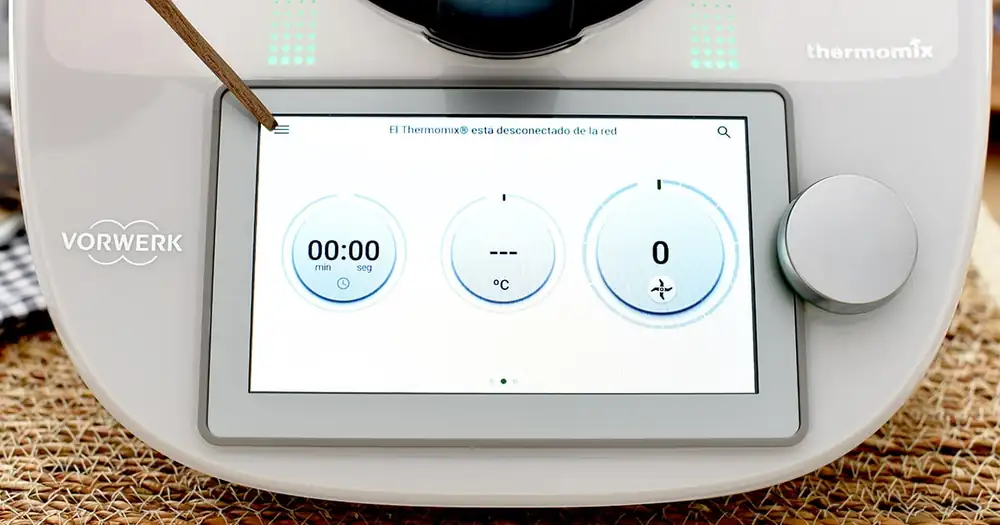
For the TM6: Main Menu > Settings > Lock
Tap the lines at the top to open the main menu.
On the TM5, you can simply scroll down the dropdown menu and find the lock option. On the TM6, click on settings and continue.
Now all you have to do is click on ACTIVATE LOCK MODE. Turn off your Thermomix and store it in its bag until you reach your destination. It will unlock when you turn it back on.
Have a great trip everyone!!!